 |
Khangai Robot Play - Naive
01
THe naive play of the Khangai Robot
|
|
Khangai Robot Play - Naive
01
THe naive play of the Khangai Robot
|
#include "FreeRTOS.h"#include "task.h"#include "main.h"#include "cmsis_os.h"#include "usb_device.h"#include "robot.h"#include "arduino.h"#include "usart.h"#include "error.h"#include "i2c.h"#include "devs_config.h"#include "all_tests.h"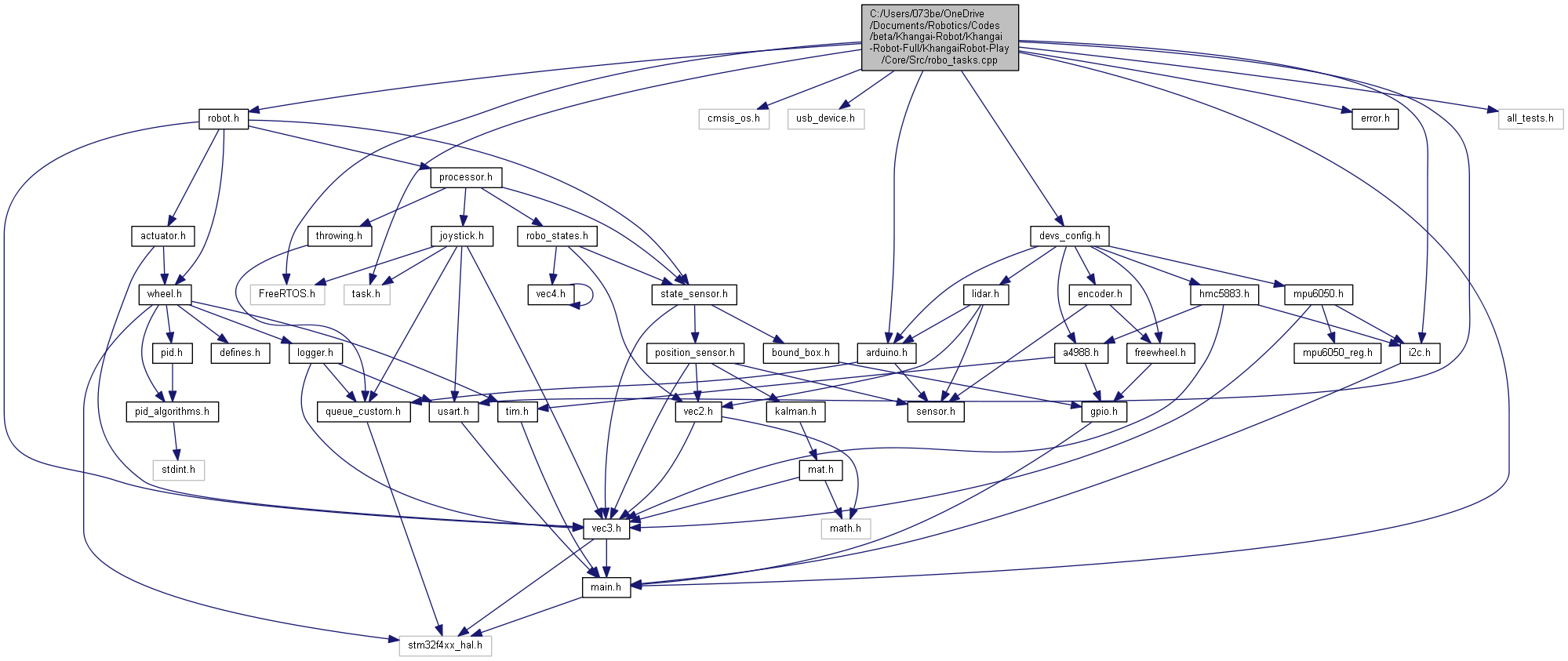
Functions | |
| void | StartDefaultTask (void const *argument) |
| Function implementing the defaultTask thread. More... | |
| void | RobotThread (void const *argument) |
| void | LoggingThread (void const *argument) |
| void | MotorThread (void const *argument) |
| Function implementing the MotorSequence thread. More... | |
| void | log_data () |
| Function implementing the logging thread. More... | |
Variables | |
| Robot & | Khangai_Robot = Robot::get_Instance() |
| Function implementing the RoboSequence thread. More... | |
| GameField | gCurrent_Field = GameField::NONE |
| void log_data | ( | ) |
Function implementing the logging thread.
| argument | Not used |
| None |
| void LoggingThread | ( | void const * | argument | ) |

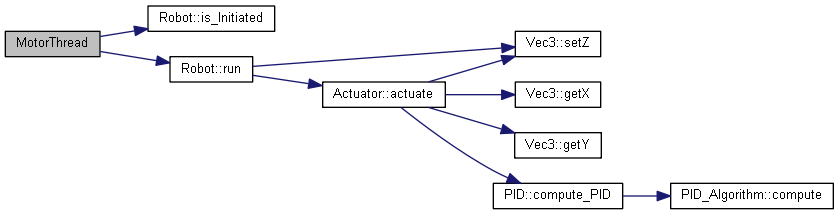
| void MotorThread | ( | void const * | argument | ) |
Function implementing the MotorSequence thread.
| argument | Not used |
| None |
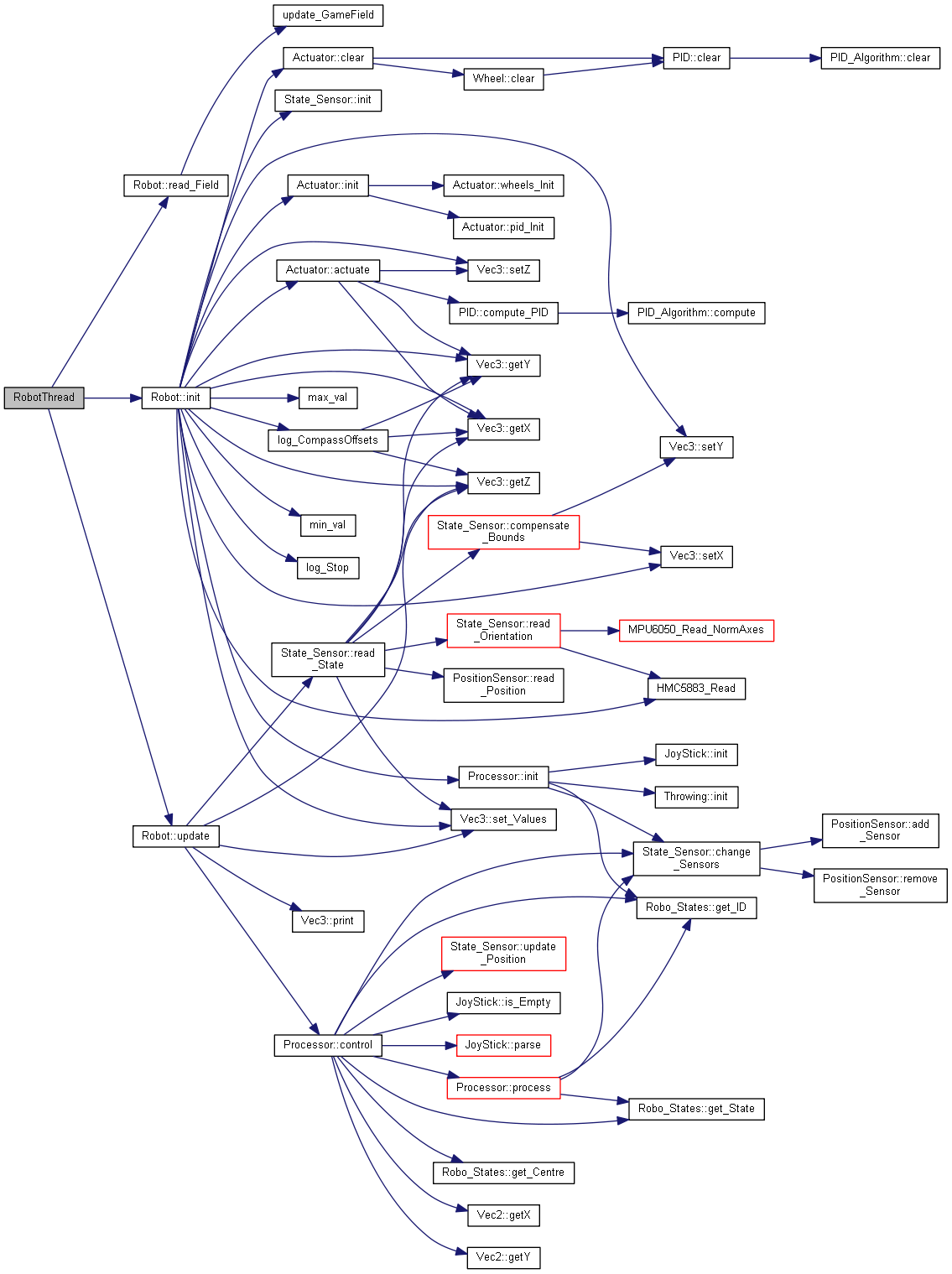
| void RobotThread | ( | void const * | argument | ) |
| void StartDefaultTask | ( | void const * | argument | ) |
Function implementing the defaultTask thread.
| argument | Not used |
| None |
| GameField gCurrent_Field = GameField::NONE |
| Robot& Khangai_Robot = Robot::get_Instance() |
Function implementing the RoboSequence thread.
| argument | Not used |
| None |
Tasks performed by this thread :
1) Read orientation given by the OrientationSensor based on the State the
   robot is in.
2) Read position given by the PositionSensor based on the State the robot is
   in.
3) Filter Orientation data.
     3.1) Filter roll
     3.2) Filter roll compensated pitch
     3.3) Filter tilt compensated pitch
4) Rotate the measured position from body frame to the field frame
5) Filter Position Data
6) Find the robot's state based on it's current position
7) Calculate the robot's angle of attack to reach the next state
8) Calculate the robot's velocity according to it's state
9) Calculate the correction angular velocity of the robot
10) Calculate the omegas of each wheel
11) Measure omega of each wheels
12) Compute error
13) Compute PID using available PID_Algorithm
14) set Omega of each wheel
15) update new omegas of all wheels at once
 1.8.15